Workflow reality
What actually happens, who touches it, where work waits, and where exceptions show up.
AI readiness for the first workflow
AI Flight Plan maps one important workflow, the data it depends on, the decisions people make inside it, and where AI can safely help before you build.
It is the readiness step for businesses that want practical AI, but do not want to force automation into work that is not ready.
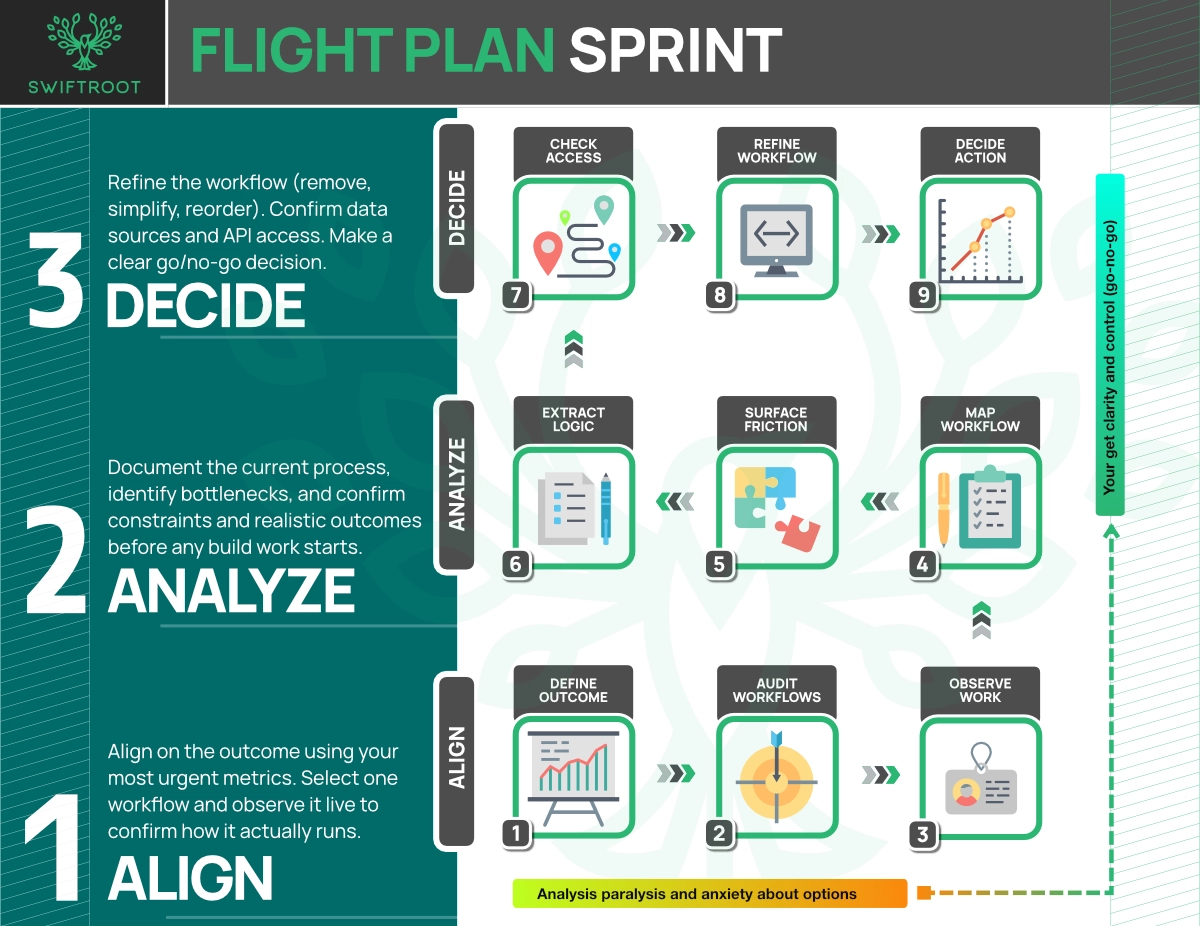
Where this fits
The pressure to adopt AI is real. The hard part is knowing which workflow is ready, what data it needs, what people still need to review, and what should never be automated.
The readiness step
We narrow the work to one important business process, then map the people, systems, data, decisions, exceptions, and AI fit.
What actually happens, who touches it, where work waits, and where exceptions show up.
Which records, documents, rules, approvals, and judgment calls the workflow depends on.
Where AI can research, summarize, compare, draft, recommend, or stay out of the way.
Good fit
The point is not to slow things down. The point is to stop expensive momentum in the wrong direction.
What you leave with
The output is not a shelf report. It is a readiness map and implementation direction for the first workflow where AI can do useful work safely.
The process, handoffs, systems, data, exceptions, and review points that matter.
Where AI can help, where it needs human control, and where it should not be used yet.
A narrow starting point with a clear problem, role for AI, and useful business outcome.
The next build steps, risk notes, data needs, and decisions required to move forward.
Make it visible
Flight Plan is about understanding the work before automation starts: what connects, what breaks, and what needs to be true for AI to help safely.
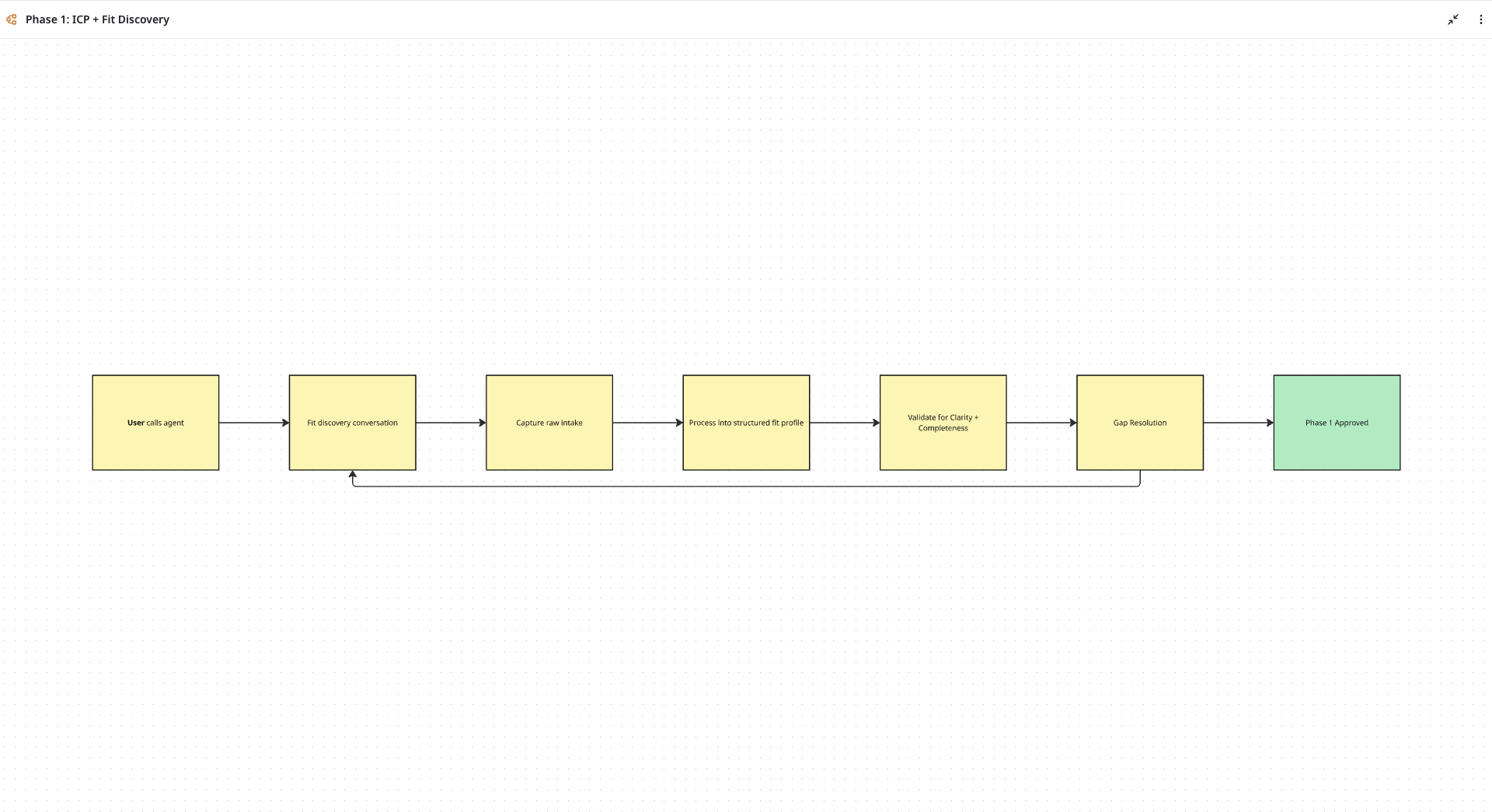
Steps, handoffs, data, waits, review points, and approval loops become clear enough to discuss.
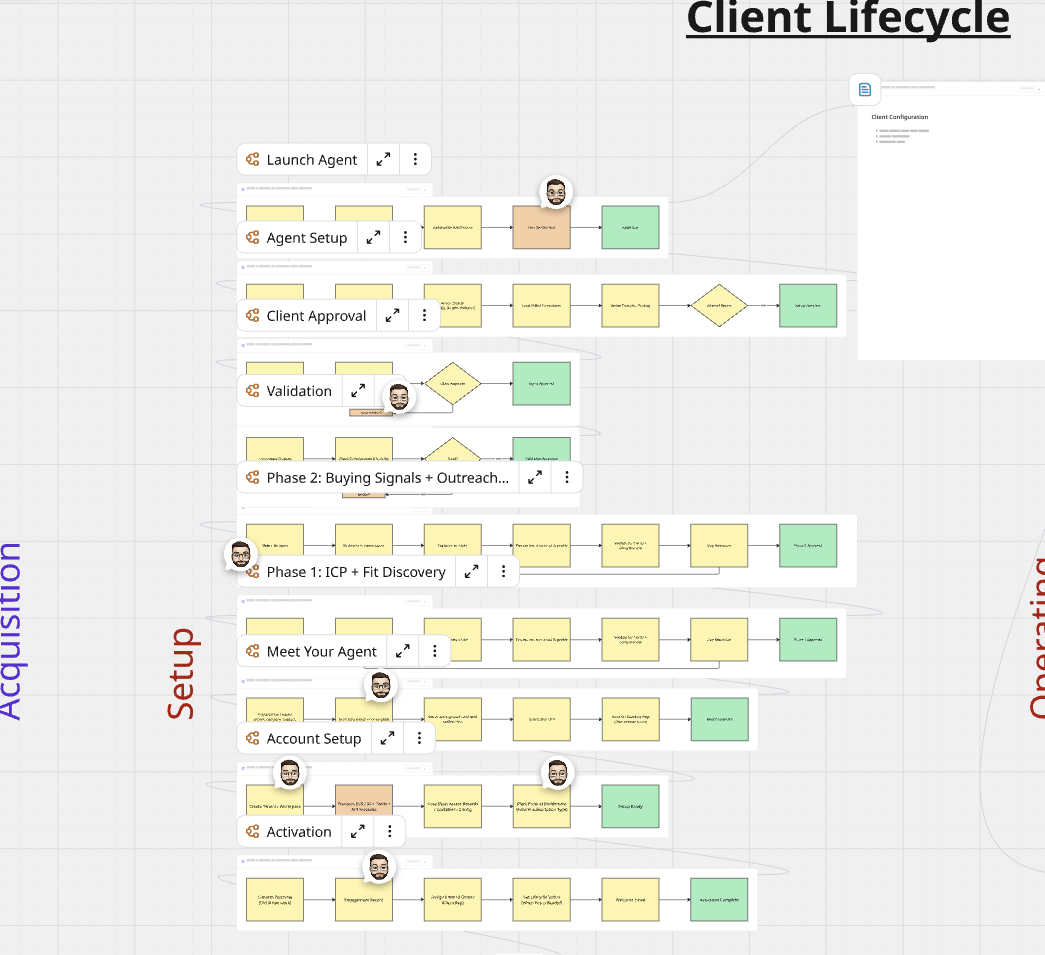
The plan shows where one AI workflow sits in the larger lifecycle, including the approvals and evidence it needs.
How it works
We keep the scope intentionally narrow: one workflow, practical evidence, clear risks, and a next step your team can act on.
Not a fit when
If the workflow, data sources, review points, ownership, and implementation path are already clear, Flight Plan may be unnecessary.
You know the steps, inputs, exceptions, approvals, owners, and target outcome.
The scope is already written well enough that readiness work would repeat what you know.
This is built for one practical first workflow, not an all-at-once transformation roadmap.
Get started today
Book discovery, bring the messy process, and we will help decide whether it is ready for AI, what needs to change, and what the first build should be.